That app you tried once may still have a connection to your Google Account. It doesn’t mean someone has access to everything. It does mean your third-party app access is worth reviewing.
Signing in with Google and granting an app access to services such as Gmail, Calendar or Drive aren’t the same permission. Read what each connection actually allows rather than assuming every Google login exposes your whole account.
Start with the right account
Open your Google Account settings in a browser you trust. Check the account name before making changes, especially if you switch between personal and business accounts.
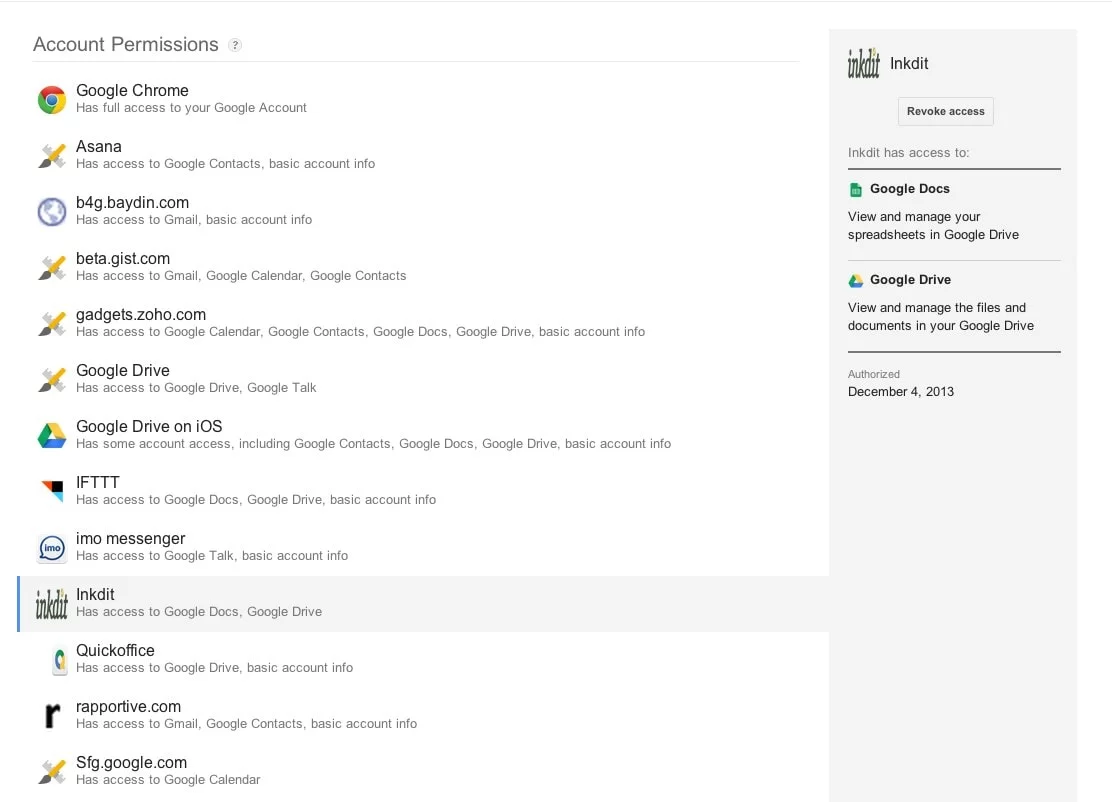
Find the section listing connections to third-party apps and services. Navigation labels can vary by device, so look for the list of connected services.
Review third-party app access, not just the app name
Open an app’s entry and read the access listed. Ask three questions: Do I recognize this service? Do I still use it? Does this access fit what I use it for?
A familiar company name isn’t a reason to leave unnecessary access in place. And an unfamiliar label isn’t automatically proof of an attack. Check the service and its purpose before deciding.
Check your way back in before disconnecting
If you use Sign in with Google to access a service, confirm how you’ll sign in after removing the connection. Use the service’s own account settings to establish a supported alternative if needed. Don’t lock yourself out of a business tool while trying to tidy up permissions.
Then use Google’s removal option to revoke third-party app access you no longer need. Revoking access doesn’t necessarily delete information the other company already holds, close its account or cancel a paid subscription. Those may require separate action with the provider.
Give agencies the access they need, not your password
For business tools, use the platform’s supported user, partner or role-based access where available. Keep ownership under the business’s control, grant the access needed for the work, and remove it when the relationship ends.
Never send a password, recovery code or authentication token in response to an unsolicited permission-review message. If you suspect an account compromise, use the provider’s own security and recovery process.
Reviewing third-party app access belongs in ordinary website maintenance. For business tools outside Google, it also pays to check who can access Facebook Page Insights. See our website services for help with the business side of keeping a site organized. If you’re rebuilding the site, use a website redesign SEO plan to keep track of what needs to carry over.